Your blood test results, finally in one place.
Upload the lab reports you already have, as a photo or PDF. Kaiora reads your values, shows each one against your lab's own reference range and explains what the marker is, in plain language.
Start for free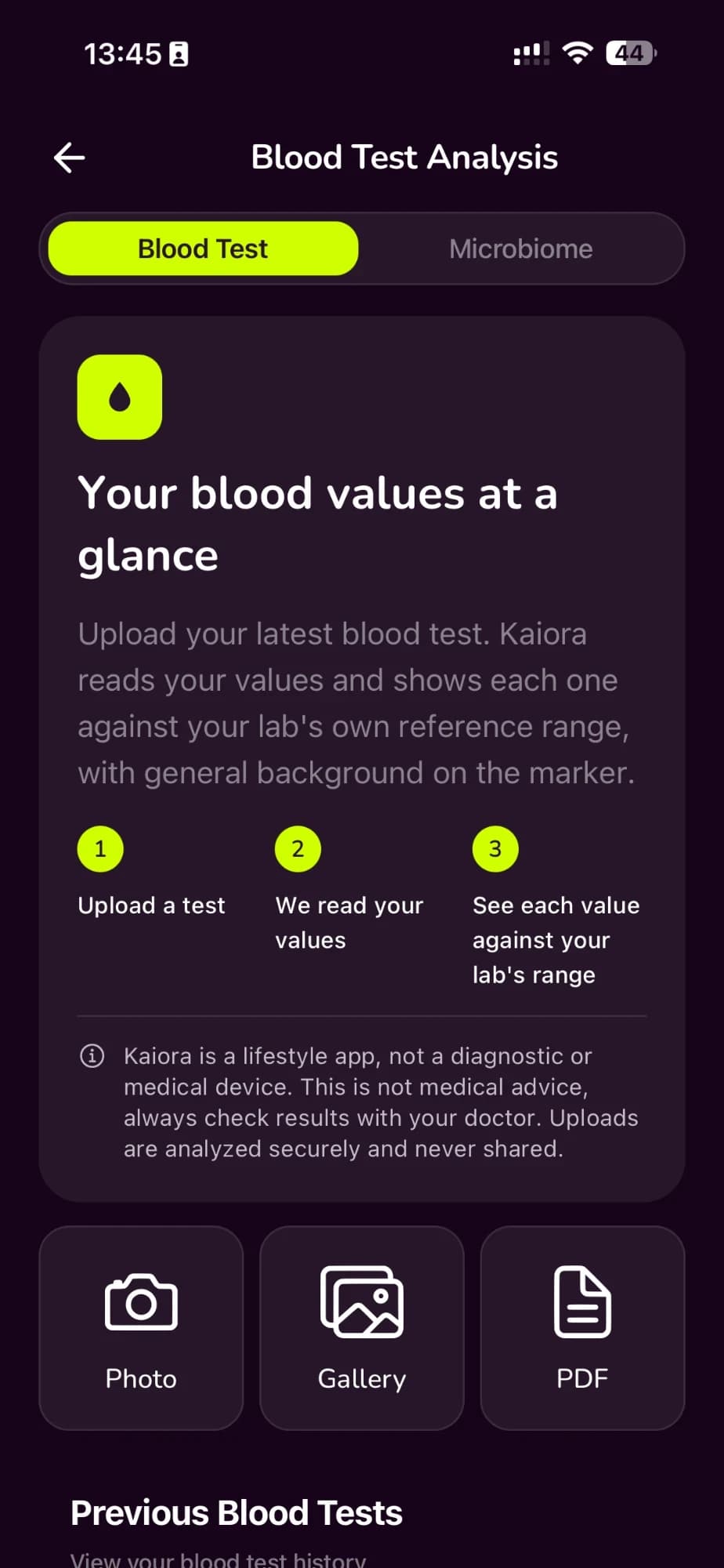
From a PDF in your inbox to a picture you understand
Lab reports are full of abbreviations and reference ranges. Kaiora turns them into something you can read, keep and bring to your next appointment.
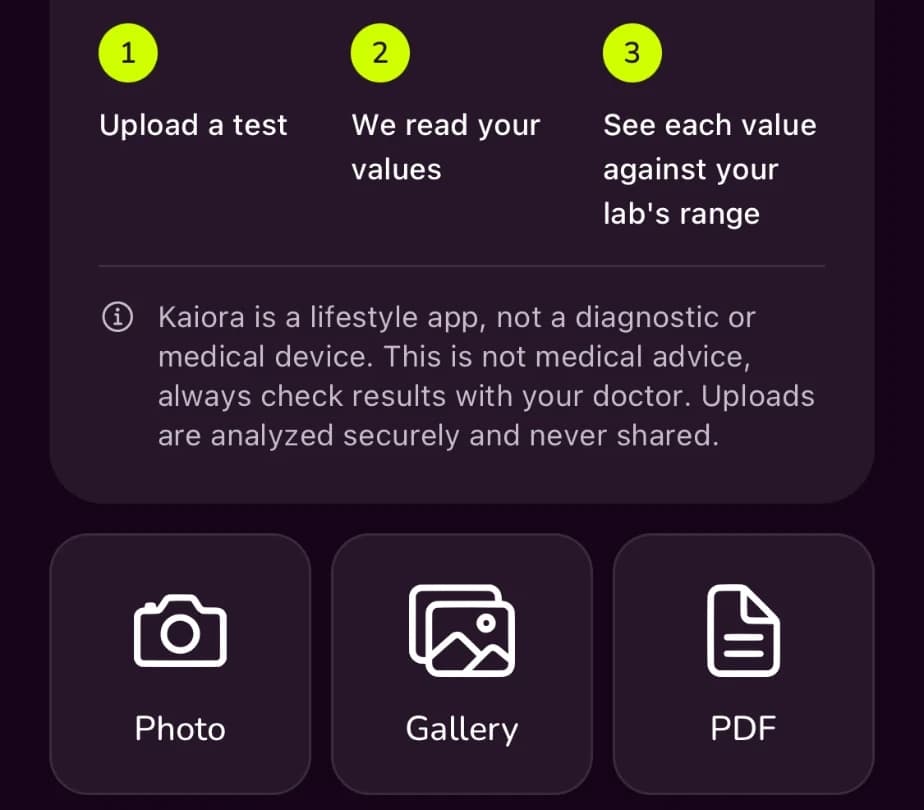
Upload what you have
Take a photo, pick one from your gallery or add the PDF from your doctor or lab. There is nothing new to book, and every upload stays in your history.
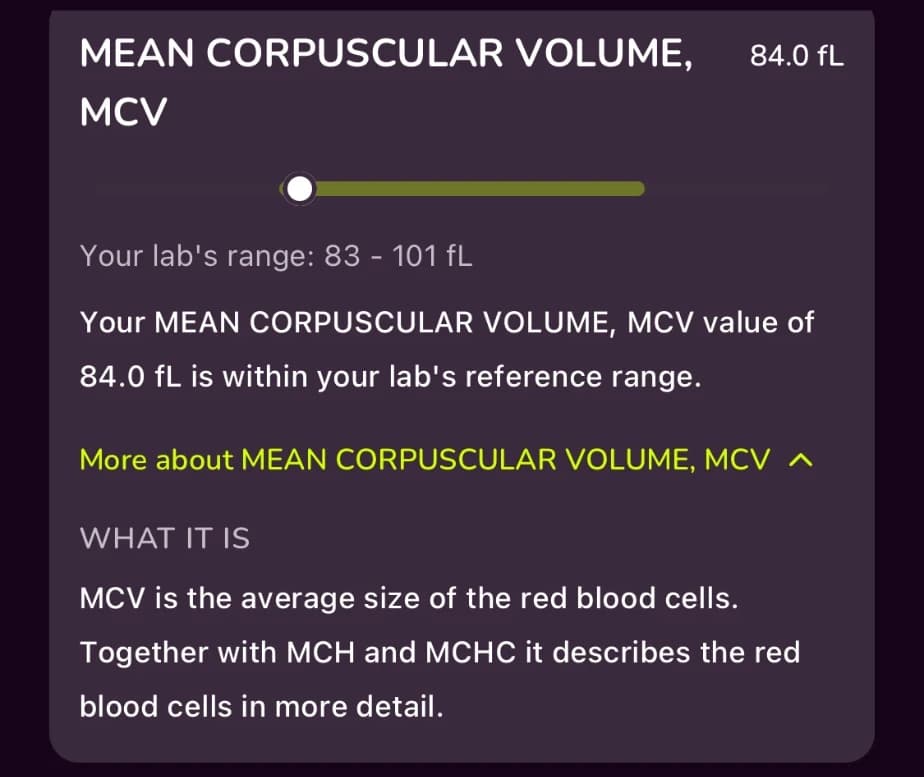
Plain-language markers
For each marker, read what it is and general background on how nutrition, activity and sleep relate to it, without searching every abbreviation.
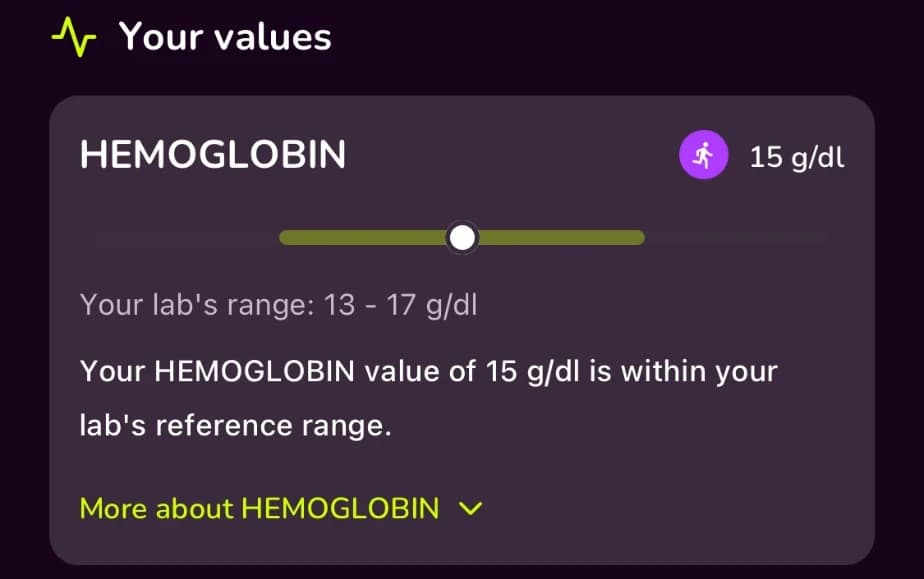
Each value against your lab's range
See every value on a scale against the reference range your own lab gives, and how many sit inside it. Anything outside the range is one to discuss with your doctor.
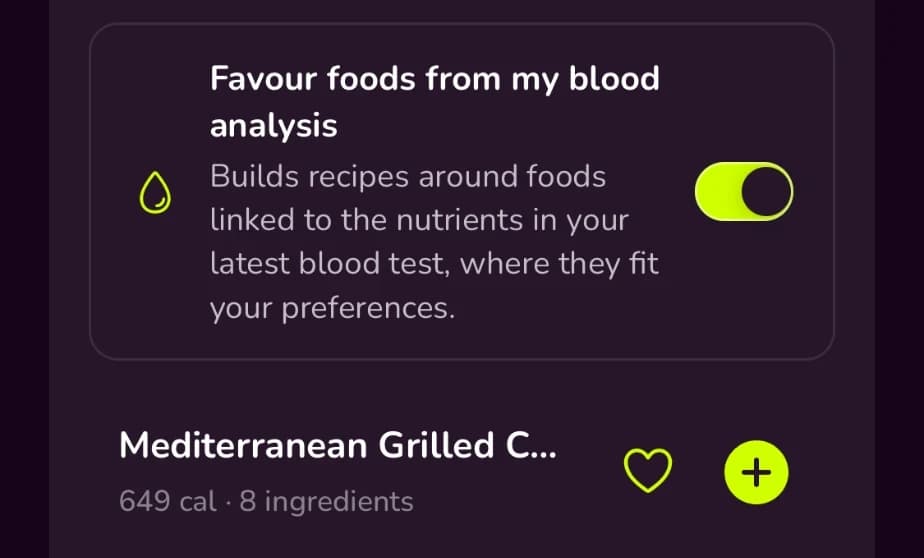
Recipes that take your results into account
Switch on “Favour foods from my blood analysis” and recipe suggestions lean towards foods linked to the nutrients in your latest test, within your dietary preferences and intolerances.
How blood test results work
- 1
Upload your test
Take a photo of your report, choose one from your gallery or upload the PDF.
- 2
Read your values
Kaiora reads your values and shows each one against your lab's range, with background on the marker.
- 3
Talk to your doctor
Bring a clear overview to your next appointment and discuss your results there.
Kaiora is a lifestyle app, not a diagnostic or medical device. It explains blood markers in general terms and does not give medical advice. Discuss your results with your doctor.
The experts behind Kaiora


Read more from our experts
- Reading Your Cholesterol Panel: What's Worth KnowingWhy LDL is often estimated, what non-HDL and apoB add, how perimenopause and low carb shift your numbers, and what to ask your doctor for.Read article →
- Zinc for Fat Loss: One Study vs the Whole PictureOne small trial showed an extra 3 kg of weight loss with zinc. Pooled trials show almost nothing. What zinc does do, and who should check their intake.Read article →
- Healthy Versus Safe: What the Evidence Really Says About AlcoholAlcohol isn't a health food, but the first sip isn't a death sentence either. What the latest evidence says on mortality, cancer risk and drinking patterns.Read article →
Start free.
Get your personalized plan today.
Build your personalized plan and know exactly what your body needs to reach your goals.



Questions about blood test results
No. Kaiora works with results you already have. Upload the report from your doctor or lab and Kaiora keeps it with the rest of your data.
A photo of your report, an image from your gallery or a PDF.
No. Kaiora shows whether each value is inside your lab's reference range and explains in general terms what the marker is. It does not diagnose or give medical advice: values outside the range should be interpreted by your doctor.
Yes. Reference ranges differ between labs, so Kaiora shows each value against the range given by the lab that tested it.
Your uploads are analysed securely and never shared.